

If you’re running a WordPress website connected to Mautic, you’ve probably faced this question at some point: should I build the form in Mautic or use a WordPress form plugin? The answer isn’t always obvious, and choosing the wrong approach can lead to missed leads, broken automations, or a form that looks completely out of place on your site.
Let’s break down both options so you can make the right call for each project.
What are Mautic forms?
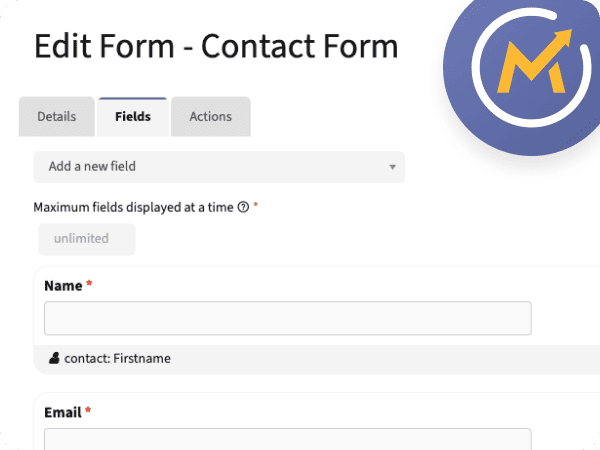
Mautic offers two types of forms: standalone forms and campaign forms. Standalone forms operate independently and can run actions immediately after submission, while campaign forms are used as a contact source for a Mautic campaign, where the following actions and decisions are managed through the Campaign Builder.
Both types feed data directly into Mautic’s contact database. When someone submits a Mautic form, their information is immediately available for segmentation, lead scoring, and automation (no middleware required). And it’s worth noting that Mautic forms aren’t just for lead generation. You can use them for everyday contact forms too – the same way you’d use any WordPress form plugin – with the added benefit that everything lands directly in your Mautic contact database, centralised and ready to act on!
Advantages and Limitations
| Advantages | Limitations |
|---|---|
| Native integration: submissions instantly create or update contacts | Visual customisation is limited out of the box |
| Progressive profiling to gradually enrich contact data | Requires additional CSS to match your website’s branding |
| Direct campaign and automation triggers on submission | Less intuitive for non-technical clients |
| Centralised data: everything lives in Mautic | Conditional logic can be more basic than most WP plugins |
| Can reduce the need for a separate WordPress form plugin | Payments and complex multi-step flows need extra work |
| Fewer JS/CSS assets loaded on your site | — |
What are WordPress form plugins?
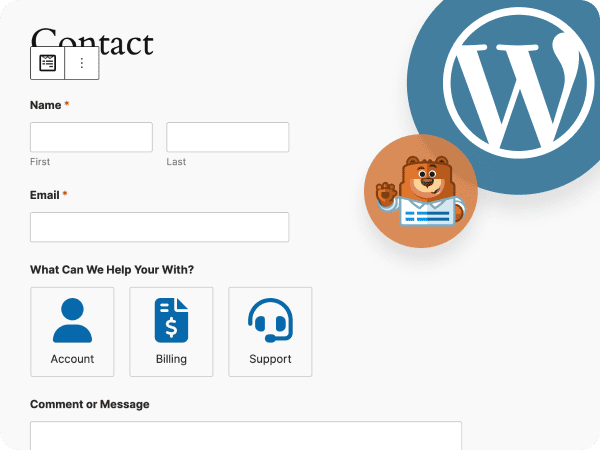
On the WordPress side, you have a rich ecosystem of form plugins: Gravity Forms, Fluent Forms, WPForms, Contact Form 7, and many others. These tools are built with the website experience in mind, offering drag-and-drop builders, conditional logic, file uploads, and even payment processing.
The trade-off is that most WordPress form plugins do not communicate with Mautic natively. Depending on the plugin, you’ll need an add-on, a webhook, an automation platform, or a custom integration to bridge the two systems.
Advantages and Limitations
| Advantages | Limitations |
|---|---|
| Seamless design integration with your theme | No native Mautic connection — requires webhook or plugin |
| Advanced conditional logic | Silent webhook failures can mean lost leads |
| Payment processing | Plugin and add-on dependencies add maintenance overhead |
| Drag-and-drop builder: easier for clients to manage | Data split between WordPress and Mautic can cause inconsistencies |
| Rich add-on ecosystem (calculators, multi-step, quizzes) | Each plugin adds JS/CSS to your page load |
It’s also worth noting that some WordPress form plugins offer limited styling options themselves and may still require custom CSS, so the styling effort isn’t always avoided by choosing the WP route.
Comparison Table
| Feature | Mautic forms | WordPress form plugins |
|---|---|---|
| Native Mautic integration | Excellent | Requires integration |
| Design flexibility | Limited (CSS needed) | Usually good to excellent |
| Campaign integration | Excellent | Depends on integration |
| Conditional logic | Basic | Usually advanced |
| Payments | Limited* | Supported |
| File uploads | Supported | Usually supported |
| Maintenance | Centralised | Depends on plugins |
| Site performance impact | Usually low, depending on the embed method | Varies by plugin and configuration |
| Best for | Contact form, lead generation, automation, centralisation | Complex forms, payments, uploads |
WP Mautic Plugin: Tracking and embedding Mautic content

If you’re running Mautic alongside a WordPress website, the official WP Mautic plugin is a useful part of the setup. It makes it easier to add Mautic’s tracking script to your website and embed Mautic forms or dynamic content using shortcodes. Once tracking is configured, Mautic can associate website activity with identified contacts, helping you understand which pages they visit and use that behaviour in segments and campaigns.
However, the plugin does not automatically send submissions from third-party WordPress form builders to Mautic. If you’re using Gravity Forms, Fluent Forms, Divi, or another form plugin, you’ll still need a compatible integration, webhook, or custom connection.
Our Recommendation
Because this comes up in almost every client conversation, we’ll be direct: our default recommendation is to use Mautic forms wherever possible. The reasons come down to practicality:
- Potentially fewer dependencies: replacing a separate form plugin with Mautic can reduce the number of WordPress plugins and assets you need to maintain, depending on how the form is embedded and styled.
- No freemium walls: you’re not locked into a free plugin that gates the features you actually need behind a paid tier
- Everything centralised: contact data, form submissions, campaign history, and lead scores all live in one place, making your marketing stack easier to manage and debug
The main limitation is payment collection. Mautic doesn’t natively support payments in the same way that Gravity Forms and similar WordPress plugins do. However, our Stripe Integration plugin can connect Stripe payment activity with Mautic, making it possible to trigger automations based on successful payments and other Stripe events.
That said, we wouldn’t force Mautic into a use case it wasn’t designed for. If the form itself requires complex calculations, advanced conditional logic, digital signatures, or a long multi-step payment experience, a dedicated WordPress form plugin will usually be the more practical choice.
What does Crafting.email actually use?
On our own website, we use Mautic forms for the newsletter opt-in in the footer. We’ve had them there since day one and the experience has been consistently good. The styling required some custom CSS to match our brand, but that’s a one-time effort that pays off.
We also use Mautic forms embedded inside a Focus Item (Mautic’s native pop-up feature) to promote our MJML tools. This way, we keep everything neatly inside the Mautic ecosystem.
Our contact form is actually the exception. Since we built the new website on Divi, we used the native Divi form module because all the styling was already done there and it was the path of least resistance during migration. We haven’t switched it to Mautic yet, but that “yet” is doing a lot of work in that sentence.
We also used Gravity Forms early on. It’s genuinely one of the best form plugins in the WordPress ecosystem, but it comes with an annual licence cost that’s hard to justify unless you’re actively using its more powerful features. The conditional logic is impressive, it really shines for things like project budget calculators or complex multi-step flows, but if you’re not building those kinds of forms, you’re paying for capability you’ll never touch.